Free for instructional designers
Turn course content into a practice scenario in about an hour.
The One-Hour Scenario Assistant works in ChatGPT, Claude, Gemini and Copilot.
AI drafts. You make the design decisions.

By Mark SpermonInstructional designer · 200+ courses
Get the free assistant
Enter your email to download the free kit. I'll also send you a copy.
Less proofreading.
More designing.
Someone sends you a forty-page policy with one line: “Can you make an e-learning out of this?” You know a scenario would work better than another click-next course. You also know a good one takes days.
So you ask AI. The right answer is the longest one. The wrong answers are mistakes nobody makes. The feedback starts with “Correct!” And you spend the afternoon fixing it.
This assistant doesn't write the whole scenario in one go. It takes you through four steps and stops after each one: which behaviour to train, which mistakes people really make, whether the wrong choices are tempting enough, and whether it sounds like a real person. At those four moments, you decide.
See what you'll build
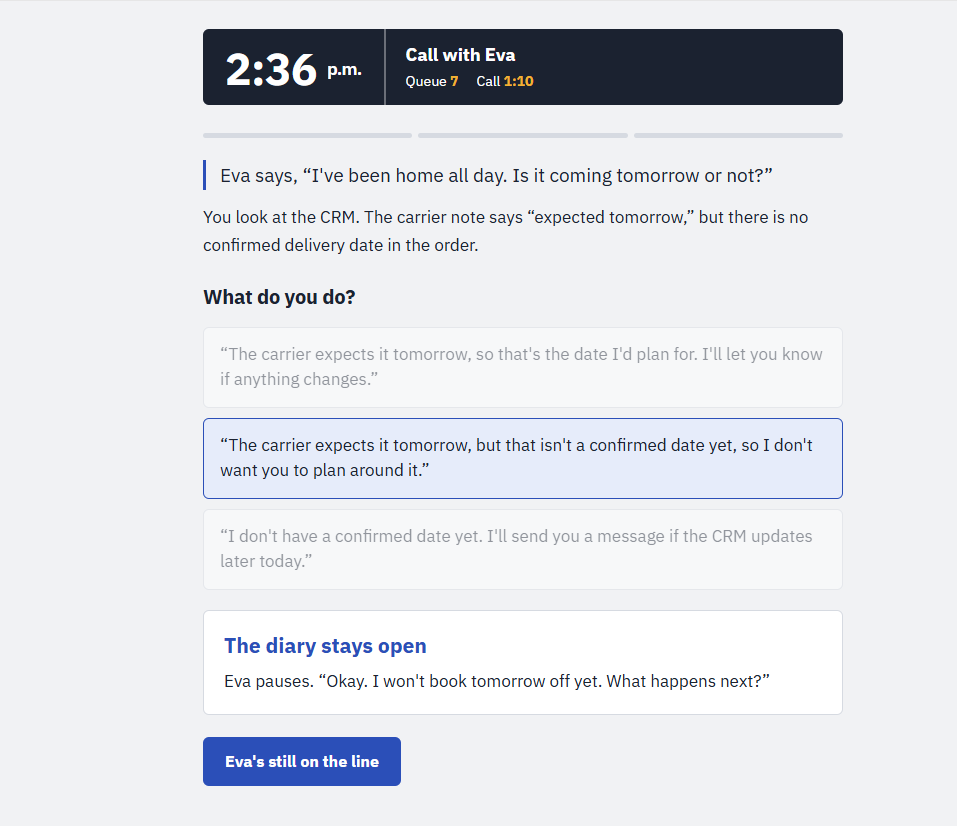
The HomeNest example shows how a choice changes what happens next.
What you get
The assistant.
One file that takes you from course content to a complete scenario: an intro, three decisions with feedback that shows what happens next, and an ending.
A setup guide.
You're up and running in five minutes: paste the file into a chat, or save it as a skill or agent.
A real worked example.
Every correction I made along the way, plus a clickable version of the finished scenario.
Practice content.
A fictional procedure and a filled-in start prompt, so you can try it without client material.
A final checklist.
Nine checks to run before you share your scenario with anyone.
Mark SpermonInstructional designer
200+ courses behind me
“Writing a scenario used to take me days. Now it takes me 30 to 60 minutes, because the design rules from twenty years of practice are built into the assistant.”
Questions
Isn't this just a prompt?
A prompt gives you one answer. This assistant is a set of instructions your AI tool follows through a whole design process: it asks questions, drafts, and stops at four checkpoints for your decisions. The design rules for good scenarios are built in, so you don’t have to write them yourself.
Which AI tool do I need?
ChatGPT, Claude, Gemini or Microsoft Copilot. The quickest way works in all of them: paste one text file as your first message. You can also save it as a skill, a project or an agent.
Can I use client material?
Follow your organisation’s rules. Not allowed to use client content? Start with the practice content in the kit, or with something already public, such as a published policy.
Does it build branching scenarios?
Not this version. Every learner goes through the same three situations, and each choice shows its own consequences.
Is it really free?
Yes. Enter your email to download the kit straight away and receive a copy in your inbox. Tick the optional box if you also want AI design tips and Learning Lab offers. You can unsubscribe with one click.
Try it on the next piece of content that lands on your desk.
Get the free assistant
Enter your email to download the free kit. I'll also send you a copy.