As AI takes on more of the work, your decisions make the difference.

Design learning that helps people perform better. Use AI to make more of your experience, strengthen your design process and do things that used to take too much time, technical skill or capacity.

For experienced instructional designers who already use AI and want more from it than faster content production.

Try it on one scenario

Free Scenario Assistant

Mark Spermon

AI was supposed to save you time.

So why are you spending so much of it fixing what it produces?

“Sometimes it takes longer to revise the output vs. start from scratch!”

— Instructional designer
An instructional designer rubs the back of his neck, holding marked-up pages beside a growing stack of work.

Employees are asked to report suspicious emails using the phishing button.

AI OUTPUT · SCENARIO

What should Sarah do after receiving a suspicious email from her manager?

  1. A.Report the email using the phishing button.Correct answer
  2. Original weak answer: B.Ignore the email completely. Nobody would pick this. Replacement answer: B.Delete the email without reporting it. Someone might actually do this.
  3. C.Reply to her manager in a new email to check whether they sent it.

So you check. Rewrite. Cut. Regenerate. Try another prompt.

Eventually, it gets closer to what you had in mind. But only after you put your own judgement back into it.

You know what good looks like.

AI doesn't know the years of experience behind that judgement.

And getting better at fixing AI output isn't the same as getting better at your job.

Try these design checkpoints on your own scenario

Free kit for ChatGPT, Claude, Gemini or Copilot.

The bigger problem is what never made it into the output.

Put 40 slides into an AI authoring tool. Answer a few questions. A few minutes later, there's a course.

You can rewrite the text. Fix the questions. Change the interactions.

But somewhere between upload and publish, design decisions were made for you.

Source materialAI authoring / productionFinished course

What should people do differently at work?

Why aren't they doing it now?

And is training even the answer?

"There's no screen where the missing needs analysis would have been, and nobody can review an omission."

You can fix what's on the screen.

You can't fix the question nobody asked.

Start with the performance problem. Decide what's worth building.

Use AI to challenge your thinking. Don't use it to replace the thinking you skipped.

Faster production is the boring part.

You wanted different practice for five roles. Nobody had time to build five versions.

1 generic practicerole-specific practice

You had 300 support tickets that could show where people get stuck. Nobody was going to read all 300.

300 support ticketsrecurring patterns worth investigating

You had an idea for an interaction. It needed a developer you didn't have.

idea / sketchworking prototype

So you built what fitted the time, budget and people available.

AI changes what fits.

Analyse those 300 tickets. Build three prototypes before you pick one. Create different practice for five roles. Build that interaction that used to sit on your wish list.

That doesn't mean you need to become a developer.

You still need to know what you're trying to change and what good looks like.

But the list of things you can realistically design just got a lot longer.

Stop asking only how AI can make the work faster.

Ask what you can do now that you couldn't do before.

You fixed the output. The lesson stayed in your head.

AI gives you an obvious wrong answer. You replace it with one somebody might actually choose.

The scenario gets better.

You ship it.

But the reason behind your change stays in your head.

Three projects later, you're making the same correction again.

That's a waste of experience.

Don't just keep the better answer. Keep why you changed it.

DESIGN RULESCENARIOS / WRONG ANSWERS

A wrong answer should be believable enough that a competent but distracted person might choose it.

Now you have something you can use again.

Do that with the decisions worth keeping, and your past projects start helping with the next one.

So project six doesn't start where project one did.

Don't wait until it's time to produce something.

AI can help long before you ask it to write a scenario, build a module or generate a quiz.

  1. Problem

    Start with the problem.

    What should people do differently? Why aren't they doing it now? Is learning part of the answer?

  2. Dig

    Do more of the digging.

    Use AI to go through source material, find patterns in feedback or support data and challenge your first answer.

  3. Decide

    Make the design decisions.

    Decide what people need to practise. What you can cut. Which mistakes are worth designing for. What good looks like.

  4. Build

    Then build.

    Use AI to write, prototype and build. Check whether the decisions you made earlier still show up in what comes out.

  5. Evaluate

    See what changed.

    Don't stop at completion. Look at what people do differently and where the solution still falls short.

  6. Keep

    Keep the useful bits.

    Take the decisions and corrections worth keeping into the next project.

AI can help across the process.

Use AI everywhere it helps.

Just don't hide the design decisions inside it.

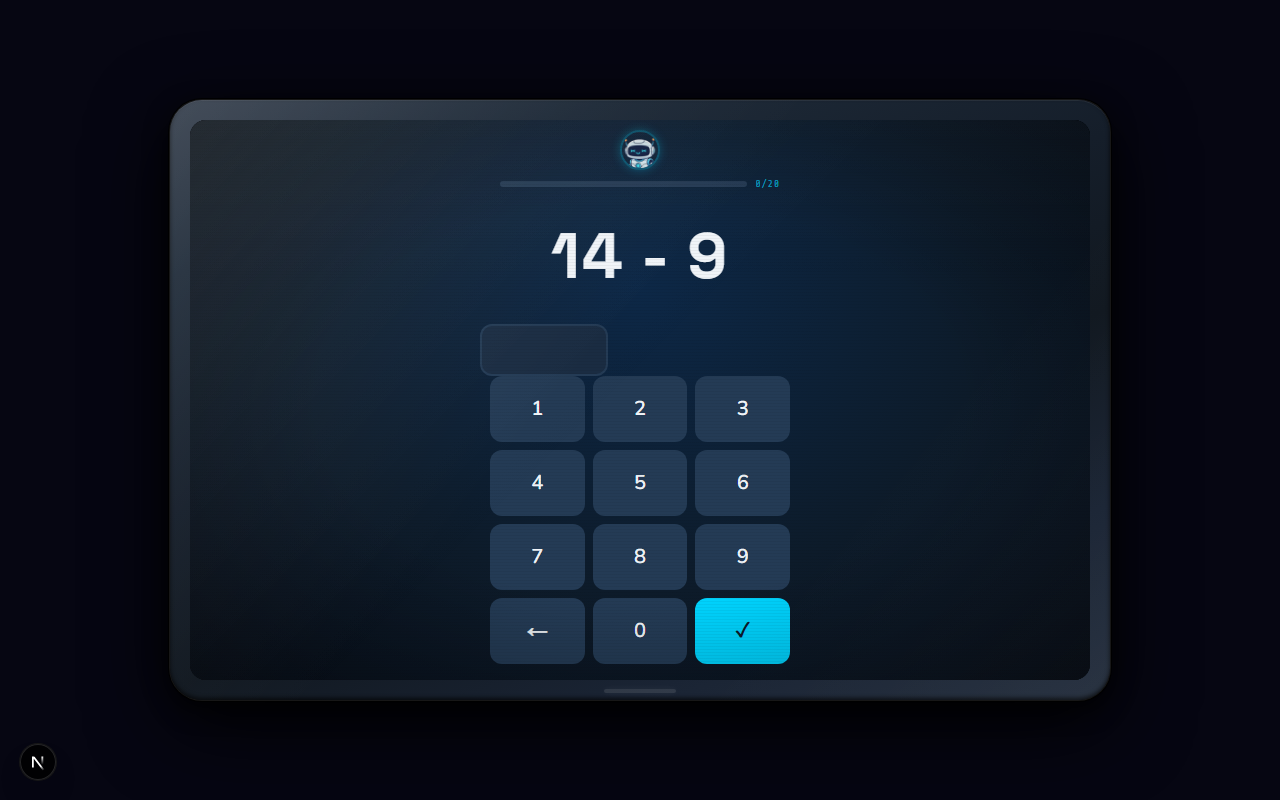
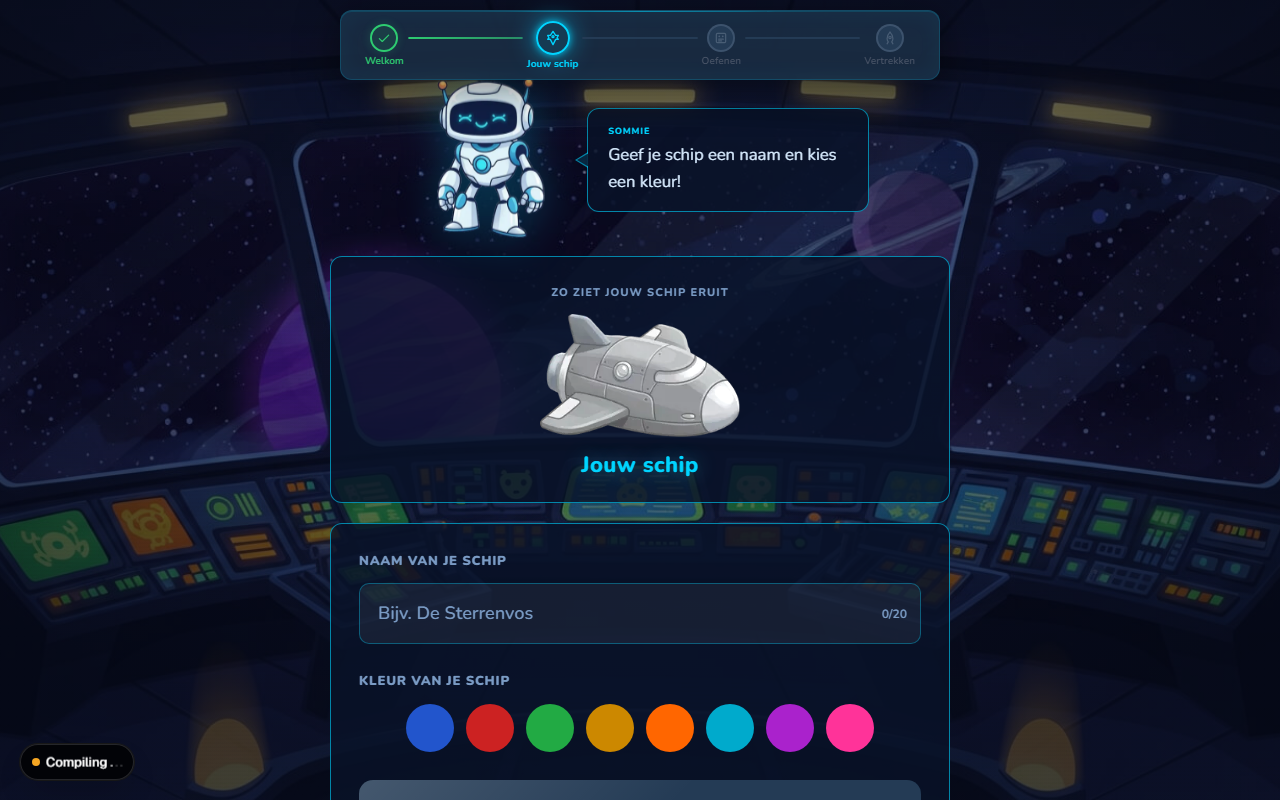
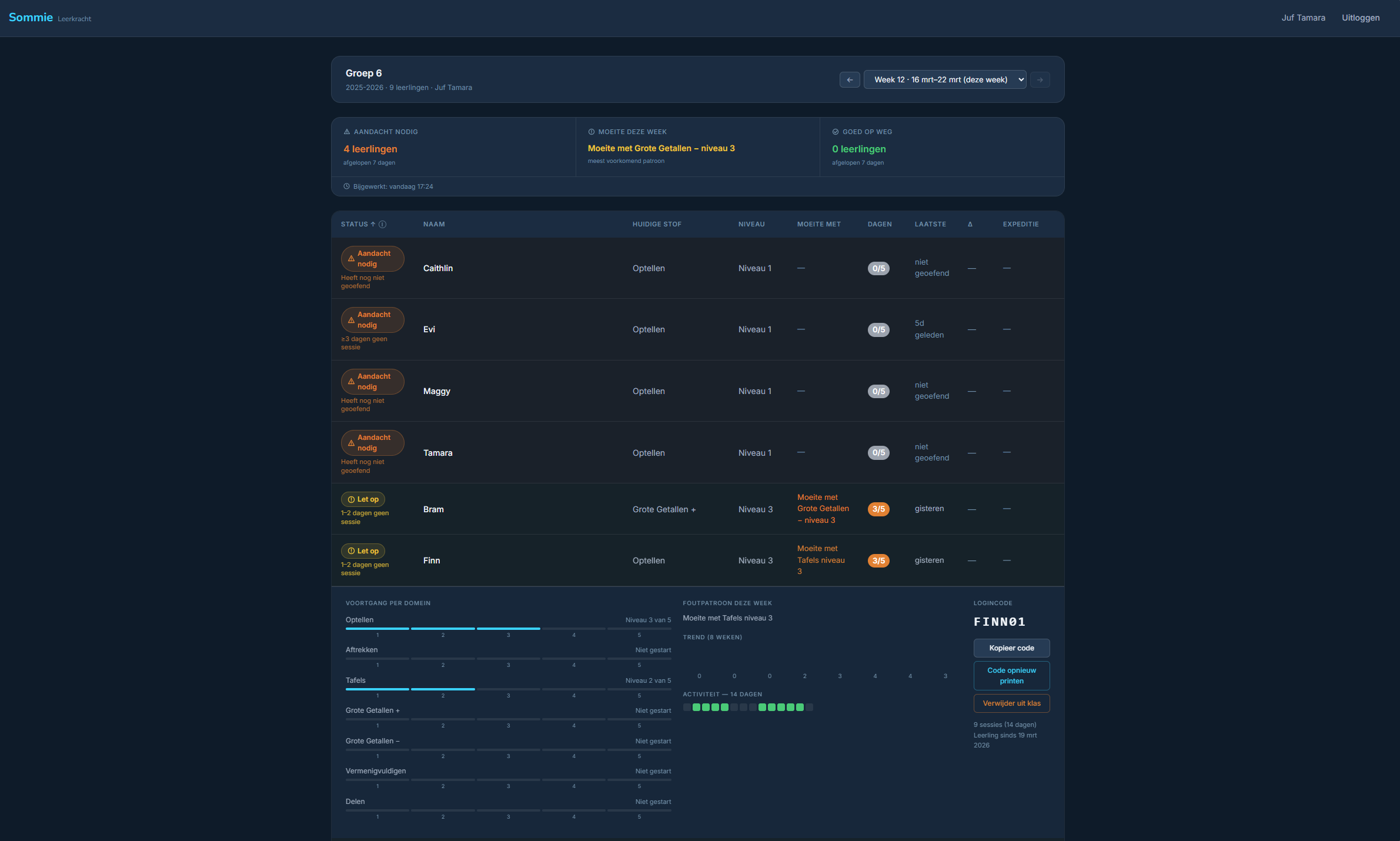
Sommie — turning a maths struggle into focused daily practice

When my daughter fell behind in maths, I built Sommie: an app that combines daily practice with spaced repetition, varied problem types and step-by-step support. I led the concept, learning design and user experience, using AI agents to help design and build the product. After six months of daily practice, her score on the Dutch Cito maths assessment was 18 points higher. Her teacher also saw clear progress, and she has nearly caught up.

  • Learning principles built into the product. Spacing, interleaving and scaffolded support shape which questions appear, when skills return and how the app responds to mistakes.
  • Progress tracked by skill. Practice adapts to each child’s progress, while teachers can see where extra support is needed.
  • Built with AI, directed by me. I defined the concept, learning logic, visual direction, copy and specifications, then guided AI agents through implementation and checks.

You don't have to change your whole process at once.

Start with one scenario. Or spend eight weeks working on the whole process.

Try it on one scenario

Free Scenario Assistant

Bring your own course content. Use ChatGPT, Claude or Copilot.

At four points, you stop and make the design decision yourself: what people should practise, which mistakes are believable and whether the scenario still does the job.

You'll also get a worked example and the five rules I use to write believable scenarios.

Try the free Scenario Assistant

Work on the whole process

The Learning Lab

Eight weeks for experienced instructional designers who already use AI on real projects.

Bring a real or realistic project. Work from analysis to evaluation. Try the process on your own work. Change what doesn't fit. Keep what you want to use again.

I'll review your work and give you feedback on the decisions you make along the way.

Use the AI tools you're allowed to use. The process isn't tied to ChatGPT, Claude or Copilot.

Explore the Learning Lab
Mark Spermon

I've spent 20 years designing, writing and building learning.

When I started, we still shipped e-learning on CD-ROM.

I spent my first ten years at TinQwise, one of the larger online learning agencies in the Netherlands. The most useful thing I learned there was simple:

Don't start with the request. Find the question behind it.

Since then, I've designed and built more than 200 courses. I've written the content, worked with SMEs, designed the practice and feedback and built the final modules.

That means I've rarely worked on just one part of the problem. I've had to figure out what people need to learn, how they should practise it and how to make it work in the final module.

I also have a technical background. So when a design needs something the tool can't do, I can usually go a step further.

But the technical solution is never the starting point.

What should people do differently?

Along the way, I started sharing what I learned. More than 100 videos about Storyline and instructional design later, 12,000+ people subscribe to my YouTube channel. Another 7,500+ follow what I write about learning design and AI on LinkedIn.

AI is the latest tool I've added to that mix. I use it to analyse, design and build — but also to make the thinking behind those decisions more explicit.

After 20 years of new tools and hype trains, I've learned to keep what makes the work better and skip the rest.

Start with one scenario.

Bring something you're already working on.

Build one scenario. Stop at the four design decisions. See what you change and why.

Try the free Scenario Assistant

Ready to work on the whole process?

Explore the Learning Lab